Pi Tracker Walkthrough
Hi pioneers, this is a walkthrough of Pi Tracker and its features with more detailed explanations.
User Setup
Pi Tracker Rewritten (version 3.0) comes with two new features for all users and a new one for premium users. One of them is the preferred currency feature.
This feature allows users to set their preferred currency, and the bot will automatically adjust all relevant responses to display in that currency.
For example:
/setcurrency currency:EUR would set the users preferred currency to Euro.

Then using /price would show the price of Pi in Euros.
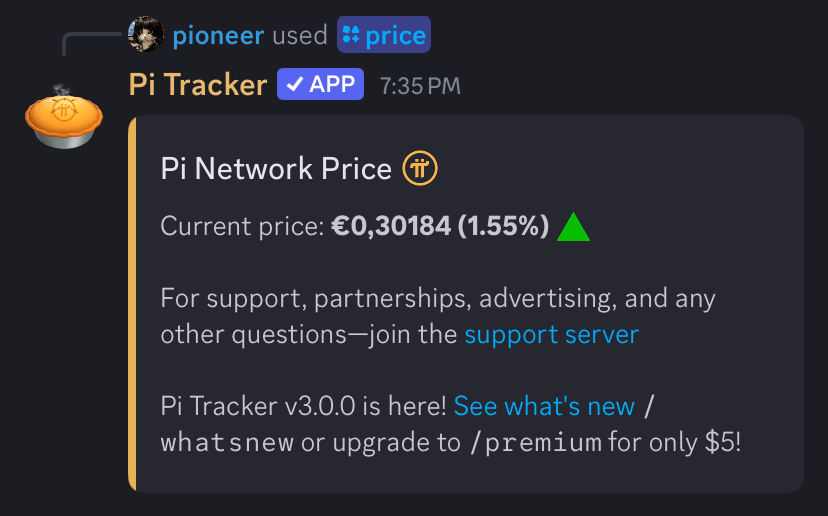
The preferred currency for all users is USD by default. Free users are limited to USD and EUR.
Premium users can use any of the supported currencies. A list of the supported currencies can be found here.
The second feature available to all users is the convert command. It lets you calculate the value of any amount of Pi-to-fiat or fiat-to-Pi directly through the bot.
Note that this only provides exchange rates—it does not transfer or give you Pi or fiat.
For example:
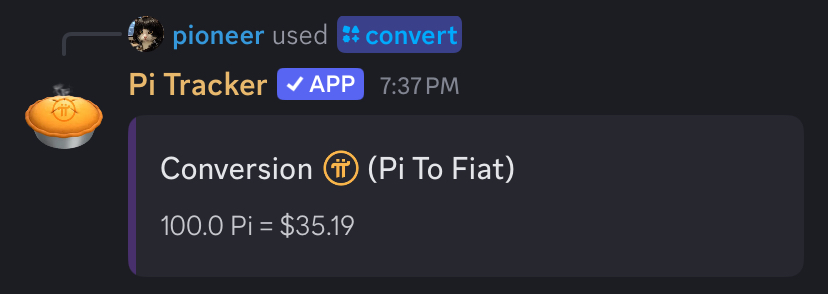
/convert amount:100 currency:USD direction:pi-to-fiat will return the value of 100 Pi in USD.
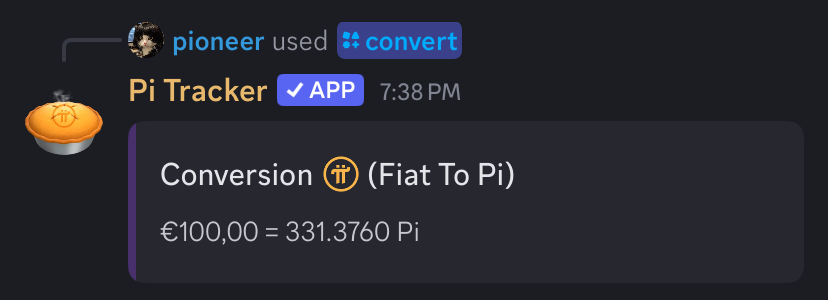
/convert amount:100 currency:EUR direction:fiat-to-pi will return the value of 100 Euro in Pi.
Currently, free users can convert between USD and EUR up to five times per day, while premium users have unlimited conversions with any supported currency.
The next feature is available to premium users only. In addition to a wider selection of currencies and unlimited conversions, premium users can view the fiat value of any Pi wallet. You can check your wallet’s value at any time using this feature.
For this example, we’ll use Pi Foundation Wallet 2.
/setwallet wallet_address:GABT7EMPGNCQSZM22DIYC4FNKHUVJTXITUF6Y5HNIWPU4GA7BHT4GC5G will save just your wallet address.
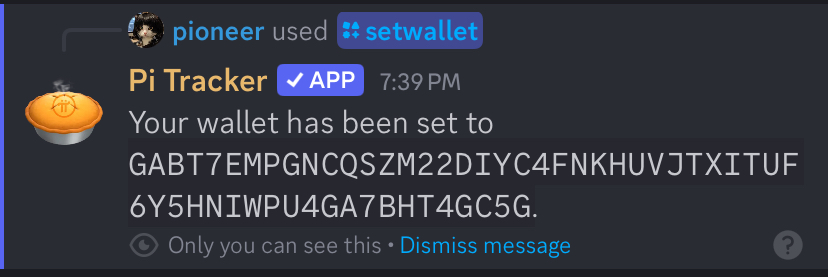
Then you can use /mywallet to view your Pi balance and its fiat value at any time.
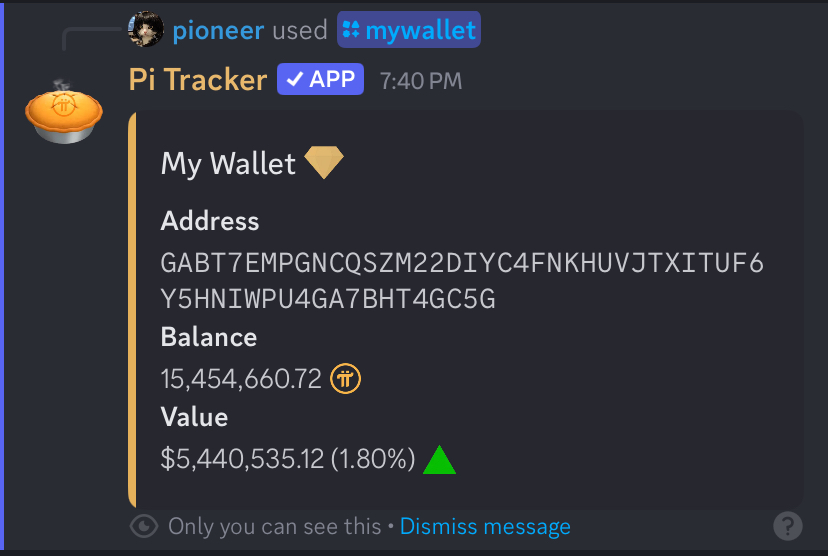
In addition to your own wallet, you can use /wallet with any wallet address to see its fiat value in your preferred currency.
Pi Commands
| Command Name | Uses Preferred Currency | Description |
|---|---|---|
/price |
Yes | Retrieves the current price of Pi from CoinGecko and displays it in a stylish embed with up/down emojis and a short message from the bot, sometimes including an ad. |
/tokenomics |
Yes | Displays the price, total supply, circulating supply, market cap, fully diluted valuation (FDV), and 24-hour trading volume of Pi. |
/exchanges |
No | Provides a list of KYB-verified exchanges. |
/convert |
No | Converts Pi-to-fiat or fiat-to-Pi. Free users are limited to five conversions per day using USD or EUR. |
/wallet |
Premium | Retrieves the Pi balance of any mainnet wallet. |
/blog |
No | Retrieves the latest Pi Network blog post. |
Other Commands
/network - A list of Pi Network projects endorsed by Pi Tracker.
/botinfo - General information about the bot.
/ping - Returns bot latency.
/vote - A link to vote for the bot on top.gg.
/avatar - Retrieves a user's profile picture.
/guildinfo - Provides general information about the server.
/whois - Provides general information about a user.
/premium - Provides information about premium perks.
/whatsnew - Bot changelogs.
/testnetwallet - Same as /wallet for testnet.
/settestnet - Same as /setwallet for testnet.
/mytestnet - Same as /mywallet for testnet.